

Marketing tools for your meditation business
Starting a meditation business often means becoming more than a meditation teacher.
You may find yourself creating promotional materials, writing emails, managing social media, updating your website, taking bookings and trying to understand which marketing activities are actually working.
Most new meditation teachers do not have the budget to outsource all of these tasks immediately. Fortunately, there are affordable marketing tools that can make running and promoting your business much more manageable.
The challenge is not finding tools. There are thousands available. The real challenge is choosing the few that will genuinely help you connect with the right people without adding more complexity to your work.
Here are seven practical marketing tools that can help you build your visibility, grow your audience and turn interest in your meditation offerings into bookings.
Start with your strategy, not the software. A marketing tool cannot decide who you want to help, what you offer or why your work matters. Become clear about your audience and message before investing in multiple platforms.
1. Canva: Creating Professional Marketing Materials
Canva is an online design platform that allows you to create attractive marketing materials without needing advanced graphic-design skills.
It provides templates that can be adapted with your own colours, fonts, photographs and wording.
Meditation teachers can use Canva to create:
- social media posts
- workshop flyers
- class timetables
- email graphics
- presentations
- meditation journals
- lead magnets
- course workbooks
- gift certificates
- retreat brochures
- website graphics
- short videos and reels
Canva can be particularly useful when you are establishing your visual identity. Using a consistent set of colours, fonts and image styles can help your business look recognisable and professional.
However, templates are only a starting point. Avoid filling your marketing with generic spiritual imagery and language that could belong to any meditation business.
Choose photographs and wording that reflect your actual teaching style and the people you want to support.

What Meditation Teachers Can Create with Canva
You might begin with a small collection of reusable templates, including:
- one class-promotion template
- one testimonial template
- one educational post
- one event reminder
- one email banner
- one downloadable meditation guide
Creating a few flexible templates can save more time than designing every piece of content from scratch.
Canva offers free and paid options. Check its current features and pricing before deciding whether you need a subscription.
2. Google Business Profile: Help Local Clients Find You
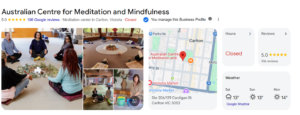
A Google Business Profile allows eligible businesses to manage how they appear in Google Search and Google Maps.
This is particularly useful if you offer:
- local meditation classes
- private sessions
- workplace programs
- retreats
- workshops
- services from a physical studio or defined service area
Your profile can display information such as your business name, services, website, telephone number, photographs and opening hours.
People can also leave reviews, helping potential clients understand what others have experienced through your work.
A well-maintained Google Business Profile may help someone nearby discover your meditation classes when searching for terms such as:
- meditation classes near me
- meditation teacher Melbourne
- mindfulness classes Adelaide
- workplace meditation Sydney
- private meditation sessions
How to Strengthen Your Google Business Profile
Complete as much relevant information as possible and keep it accurate.
You may be able to add:
- a clear business description
- your primary business category
- services you provide
- current photographs
- opening or contact hours
- your website
- booking links
- social media links
- updates about workshops and events
Ask genuine clients and participants whether they would be willing to leave an honest review. Do not offer rewards or write reviews on their behalf.
Respond to reviews professionally, including positive comments and constructive feedback.
A profile that is complete and regularly maintained is more helpful than one created and then forgotten.
Before setting one up, check Google’s current eligibility and representation guidelines. Not every online-only business will qualify in the same way as a business that serves customers in person.
3. GetResponse: Build and Nurture Your Email List
Social media platforms can be useful, but you do not own your social media audience.
Algorithms change, reach fluctuates and accounts can sometimes become restricted or inaccessible. An email list gives you a more direct way to stay connected with people who have chosen to hear from you.
At ACMM, we use GetResponse to manage email communication. Other platforms include Mailchimp, MailerLite, Kit and Campaign Monitor.
An email marketing platform can help you:
- collect email addresses through signup forms

- send newsletters
- promote classes and workshops
- share useful meditation content
- create automated welcome emails
- segment subscribers according to their interests
- deliver free resources
- send event reminders
- monitor opens and clicks
Begin with a Useful Reason to Subscribe
Most people will not join a mailing list simply because a website asks them to “subscribe for updates.”
Offer something that feels genuinely useful, such as:
- a short guided meditation
- a beginner’s meditation guide
- a five-day meditation series
- a journal prompt collection
- a guide to creating a home meditation practice
- early notice of local classes
- access to a free community meditation
Your free resource should connect naturally with the services you offer.
For example, if you hope to work with people experiencing workplace stress, your free resource might be a short meditation for transitioning out of work mode at the end of the day.
Use Automated Emails Thoughtfully
Email automation allows you to prepare a sequence of emails that is sent when someone takes a particular action, such as joining your list or downloading a resource.
A simple welcome sequence might include:
- delivery of the promised resource
- a warm introduction to you and your work
- practical meditation guidance
- an invitation to explore a class or program
Automation should still feel human. Avoid overwhelming new subscribers with daily sales messages.
Use email to build trust and provide value, not simply to promote every offer you create.
Alternatives to GetResponse
The right platform depends on:
- the size of your list
- the complexity of your automations
- your budget
- whether you need landing pages
- your technical confidence
- integrations with your website and booking system
Most meditation teachers do not need the most sophisticated platform when beginning. Choose something you can understand and are prepared to use consistently.
4. Google Analytics 4: Understand Your Website Visitors
Google Analytics 4, usually called GA4, helps you understand how people use your website.
It can provide information about:
- how visitors arrive
- which pages they view
- how long they engage
- what devices they use
- which marketing channels bring traffic
- which important actions they complete
These important actions might include:
- submitting an enquiry

- booking a discovery call
- joining your mailing list
- visiting an enrolment page
- completing a registration
- purchasing a course

What to Monitor in Google Analytics
Analytics can quickly become overwhelming. You do not need to study every report.
Begin with a few practical questions:
- Which pages attract the most visitors?
- How are people finding the website?
- Which blog posts lead readers to explore a service?
- Are visitors reaching the booking page?
- Which promotional activities generate meaningful engagement?
- Are people using the website mainly on mobile or desktop?
The purpose of analytics is not to collect numbers for their own sake. It is to make better decisions.
For example, if one article attracts consistent search traffic but few readers explore your services, you might add a clearer internal link or call to action.
If most visitors use mobile devices, you should make sure your booking process is easy to complete on a phone.
Keep Privacy in Mind
Website analytics may involve privacy, cookie and consent requirements.
Make sure your privacy policy is current and seek appropriate advice about the requirements that apply to your business and audience.
Google also provides free Analytics Academy training for people who want to learn more about using GA4.
5. Improve Your Search Visibility with Google Search Console
Google Analytics helps you understand what people do after reaching your website.
Google Search Console helps you understand how your website performs in Google Search before they arrive.
It can show:
- search terms that trigger your pages

- impressions in Google results
- clicks from search
- average search position
- pages receiving search traffic
- indexing issues
- mobile usability or page-experience information
- links pointing to your site
For a meditation teacher who wants to attract clients through Google rather than relying entirely on social media, Search Console is one of the most useful free tools available.
Useful Search Console Reports
The Performance report can show which search terms lead people to your website.
For example, you may discover that people are finding you through searches such as:
- how to become a meditation teacher
- meditation classes for anxiety
- corporate meditation programs
- meditation classes near me
- how much do meditation teachers charge?
This information can help you understand what your audience is looking for and which existing pages have potential to perform better.
You might find that one article appears frequently in search results but receives relatively few clicks. This could indicate that its SEO title or meta description needs improvement.
You may also discover a page ranking near the bottom of the first page of Google. Strengthening that page may provide a better return than publishing an unrelated new article.
Search Console can also alert you when Google is having difficulty indexing a page.
You do not need to check it every day. A monthly review is enough for many small meditation businesses.
6. Meta Business Suite or Buffer: Plan Your Social Content
Creating social media content at the last minute can become exhausting.
A scheduling tool allows you to prepare posts in batches and publish them at planned times.
This does not mean your social media needs to feel automated or impersonal. Scheduling simply reduces the pressure to stop what you are doing every time you want something to appear online.
When to Use Meta Business Suite
Meta Business Suite allows you to create and schedule content for Facebook and Instagram.
It can be useful when these are the main platforms you use and you want a free tool for:
- scheduling posts
- planning reels and stories
- viewing a content calendar
- managing comments and messages
- reviewing basic content insights
Because it is Meta’s own platform, it is often the simplest choice for businesses focused mainly on Facebook and Instagram.
When Buffer May Be More Useful
Buffer can be helpful if you manage content across several different social platforms.
It allows users to plan and publish content through a central dashboard. Free and paid plans are available, with current limits and pricing depending on the number of channels and features required.
Buffer may suit you if you want to manage a mix of platforms without opening each one separately.
Do Not Let Scheduling Replace Connection
Scheduling can help with consistency, but social media still works best when people feel there is a real person behind the account.
Make time to:
- answer genuine questions
- respond to comments
- acknowledge messages
- join relevant conversations
- notice what your audience responds to
- adapt rather than repeating the same content indefinitely
You do not need to be constantly online. A smaller amount of thoughtful engagement is more valuable than posting every day without listening.
7. A Booking Platform: Turn Interest into Registrations
A person may be ready to attend your class, but a confusing booking process can cause them to give up.
A booking platform helps turn interest into action.
Depending on the kind of work you offer, you might use:
- Acuity Scheduling
- Calendly
- Eventbrite
- Humanitix
- a booking feature built into your website
- a course or membership platform
A booking system may allow clients to:
- view available sessions
- reserve a place
- pay online
- receive confirmation
- complete an intake form
- receive reminders
- reschedule or cancel
- access online meeting details
Match the Platform to the Offer
Different platforms suit different services.
For private appointments and discovery calls, Acuity or Calendly may be suitable.
When you need ticketed workshops and are running community events, Humanitix or Eventbrite may be more appropriate.
With ongoing classes, you may want a system that supports recurring bookings, class passes or memberships.
Before choosing a platform, consider:
- transaction and booking fees
- payment options
- cancellation features
- reminder emails
- integration with your website
- integration with your calendar
- privacy and data handling
- ease of use on mobile devices
Test the booking journey yourself.
Imagine you have never visited your website before. Can you quickly understand what the session is, when it runs, how much it costs and how to reserve a place?
The fewer unnecessary steps involved, the better.
Additional Free Marketing Tools
The following tools may also be useful, although they are not as central as the seven listed above.
Unsplash, Pexels and Pixabay
These websites provide stock photography that may be used under their respective licence conditions.
They can be helpful when you need an image for a blog post, email or social graphic.
However, meditation stock photography can become repetitive. Images of silhouetted people sitting on beaches may not accurately represent your classes or community.
Whenever possible, include original photographs of:
- you teaching
- your venue
- class materials
- retreat locations
- appropriate behind-the-scenes moments
Always check the current licence and attribution requirements before using an image.
Coolors
Coolors is a colour-palette generator that can help you explore combinations for your visual branding.
It may be useful if you are selecting colours for a website, flyer or Canva template.
Try to choose a limited palette and use it consistently. Too many colours can make your brand feel disjointed.
Infogram
Infogram can be used to create charts, infographics and data visualisations.
It may be helpful when you want to explain research findings, survey results or program outcomes visually.
For many small meditation businesses, Canva’s infographic functions may already be sufficient. Only add another design platform when it meets a genuine need.
How to Choose the Right Marketing Tools
You do not need every tool mentioned in this article.
Begin by identifying the result you are trying to achieve.
- If you want local people to discover your classes, focus on your website and Google Business Profile.
- To stay connected with interested people, choose an email marketing platform.
- If you regularly create flyers and social posts, Canva may save you time.
- Maybe you have a website but do not know whether people are finding or using it, set up Google Analytics and Google Search Console.
- When people show interest but do not complete their registrations, review your booking and payment process.
- If maintaining social media is taking too much time, use a scheduling platform and reduce the number of channels you manage.
Choose the smallest number of tools that support your current priorities.
It is usually better to use three tools consistently than to pay for ten platforms you rarely open.
Frequently Asked Questions
What marketing tools does a new meditation teacher need?
A new teacher may only need:
- a clear website or landing page
- a simple booking and payment system
- an email marketing platform
- Canva for basic promotional materials
- Google Business Profile if eligible and serving a local area
Google Analytics and Search Console become valuable once the website is established and receiving visitors.
Social media scheduling is optional. It is useful only when social media is genuinely part of your marketing strategy.
Do I need to pay for marketing software?
Not necessarily.
Many tools offer free plans, trials or basic features. Google Business Profile, Google Analytics and Google Search Console are free.
Begin with free or low-cost options and upgrade only when a limitation is affecting your work.
Avoid paying for software merely because it appears professional. A tool should save time, improve the client experience or help you achieve a clear business goal.
What is the best marketing tool for finding local clients?
For eligible local businesses, Google Business Profile is one of the most useful tools because it can help people find your business through Google Search and Maps.
Your website should also clearly state:
- where you work
- who you support
- what you offer
- how to contact or book with you
Local partnerships and referrals remain important. Software should support relationships rather than replace them.
Is email marketing still useful for meditation teachers?
Yes. Email remains a direct way to communicate with people who have chosen to hear from you.
It can help you share useful content, announce classes, promote workshops and remain connected between programs.
The quality and relevance of your emails matter more than sending them frequently.
Should meditation teachers use social media scheduling tools?
A scheduling tool can help if you already have a clear social media strategy and want to work more efficiently.
It will not solve unclear messaging or make unsuitable content effective.
Use scheduling to reduce pressure and support consistency, not to create a high volume of content simply for the sake of appearing active.
Grow Your Meditation Business Without Becoming Overwhelmed
Marketing a meditation business does not require you to be everywhere or master every new platform.
Begin with the tools that support the most important parts of your client journey:
- helping people find you
- allowing them to understand your work
- staying connected
- making it easy to book
- learning what is working
As your business develops, review your tools and remove those that no longer serve a clear purpose.
Good marketing is not about collecting software. It is about communicating the value of your work and making it easier for the right people to take the next step.
ACMM supports meditation teachers to develop both the practical teaching skills and the business confidence needed to create meaningful, sustainable work.
Explore our meditation teacher training, discover The Ripple Effect business community, or read more practical guidance about growing your meditation business.
Disclosure: ACMM does not receive commissions from the tools mentioned in this article. Recommendations are based on practical usefulness and our experience at the time of publication.
Ready to Grow Your Meditation Business?
The right tools can make marketing easier, but they work best when they are supported by a clear message, a practical plan and ongoing encouragement.
If you are building your meditation business and would value personalised guidance, accountability and support, explore The Business Lounge This ACMM business community helps meditation teachers develop their offers, strengthen their marketing and take steady, practical steps towards sustainable work.
Still considering becoming a qualified meditation teacher? Discover ACMM’s accredited Meditation and Mindfulness Teacher Training and learn how we support students from their first practical teaching experiences through to building meaningful professional work.